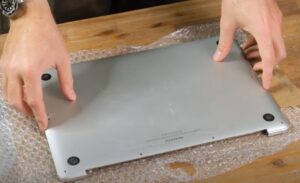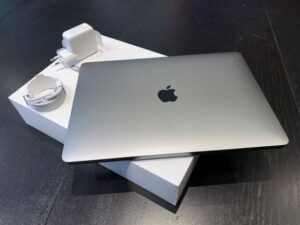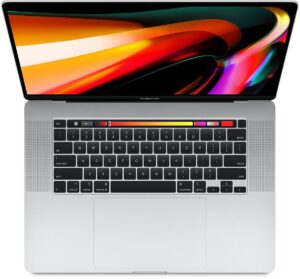
Here are four Macs I had in after another shop had already opened them up. In every one the part they changed was fine … it was everything around it that didnt get checked!! So before You hand yours over, these are the things I’d want to know.
7 things to check before anyone opens up your Mac
1. Get the price before anything gets done
I charge a $150 diagnostic and thats waived if You go ahead with the repair. Whoever You use, the repair price should be agreed before any parts get ordered or fitted, nothing gets done until You say yes!!
2. Ask for the repair notice
Anyone fixing something that stores your data has to give You a written repair notice before they take it in for repair. It has to say your data might be lost, and if refurbished parts could be used it has to say that as well. A sign on the counter or a link on a website doesnt count, it has to be on paper or in an email …. if a shop has never heard of it that tells You something!!
3. Ask what part is going in
Ask straight out if its a genuine Apple part, a refurbished one or an aftermarket part. Theres a place for all three but You should know which one you’re paying for!!
4. Ask what else they checked
Had an A1989 in (2019 13 inch MacBook Pro) that had a new battery put in at another shop. It turned on but wouldnt charge past 12% … sometimes macOS said Not Charging and if you moved the USB C cable the charging symbol came and went.
I checked the customers charger with a USB C power meter, then tried my own charger and cable and it did the same thing. Opened it up and the new battery was connected properly and macOS could see it, no sign of liquid either. One of the USB C port assemblies was worn and dropping in and out, and an internal retaining screw had never been done up properly.
New port assembly in, cleaned around it with isopropyl, checked the cable routing and tightened the screw …. $345 and 2 days later it was charging from 12% to 100% again!! No second battery needed.
If a shop changes a part and the fault is still there, ask them what else they tested before they gave it back.
5. Ask how they test it before they call You
Had an A2337 in (M1 MacBook Air) that had a new screen fitted somewhere else after the original got damaged. It was fine for a few days, then sometimes it stayed black when you opened the lid. The Mac was still running and an external monitor showed a picture.
Inside, the display cable wasnt sitting flat in its connector, the bracket over it was slightly bent and one of the little bracket screws was missing. Fingerprints and adhesive all around the connector too.
Cleaned the contacts, checked the pins under magnification, reseated the cable, straightened the bracket and fitted the right screw. Then 20 lid open and close cycles, 10 cold starts and a few hours left running …. $265 and done the same day!!! They kept the screen they already paid for.
A screen that lights up once on the bench isnt tested … ask what they actually do before they hand it back!!
6. Ask about the cables near the part they changed
Had an A1707 in (2017 15 inch MacBook Pro) that had a battery done elsewhere. About a week later the trackpad started freezing for a few seconds at a time and Force Touch clicks were hit and miss, a mouse worked fine.
Sure enough the trackpad cable had been pinched during the battery job. It had a crease in it and battery adhesive pressed against part of it.
New cable, cleaned off the adhesive, routed it properly and checked the bottom cover wasnt squashing it when it went back on … then 3 hours of trackpad testing. $295 and 1 day later it was all good again!! No need for a whole new top case.
Ask if they check every cable near the part they changed before the cover goes back on.
7. A new part isnt always the fix
Had an A2251 in (2020 13 inch MacBook Pro, Intel) that had a new fan put in somewhere else. It was still roaring away just browsing and watching videos and the bottom case was getting really warm.
The new fan was spinning fine … but the vents were still packed with dust, the heatsink screws were all done up unevenly and there was way too much thermal paste around the processor.
Cleaned off the old paste, fresh paste on, heatsink back on evenly, cleaned the fan blades and the exhaust channels and made sure nothing was left inside …. $285 and done the same day!! No second fan.
If someone tells You a part needs replacing, ask what they think caused the fault in the first place!!
Apple, Apple authorised or an independent shop
If your Mac is still under warranty or AppleCare, go to Apple or an Apple Authorised Service Provider first … thats where in warranty repairs get done!!
Apple also runs an Independent Repair Provider program here, it came to Australia in 2021. Those shops get genuine Apple parts, tools, manuals and training, but the program only covers out of warranty repairs.
Plenty of good independent repairers arent in either program, so the checks above count for more than a sticker on the door.
Get your Mac ready before it goes in
This is straight off Apple’s own list and its good advice whoever fixes it:
- Back it up first, in case the drive has to be erased or replaced.
- Turn off Find My Mac.
- On an Intel Mac, turn off the firmware password if it has one.
- Make sure You know the name and password for your user account on the Mac.
If your data matters and You havent got a backup, say so before anything gets touched …. thats the first thing I’d want to know!!
Questions to ask before You say yes
- What do you think is wrong and how did you find it?
- How much all up, and is the diagnostic waived if I go ahead?
- Is the part genuine, refurbished or aftermarket?
- Can I have the repair notice in writing?
- Should I back up first, could I lose anything?
- What else will you check while its open?
- How will you test it before you call me?
- How long will it take and whats the warranty?
Sometimes its straight forward, other times it takes some considerable time to find whats really going on … either way You get a price before anything gets done.
If someone else has had a go at your Mac and its still not right, give me a call, happy to have a look!! Hope to hear from you soon!!