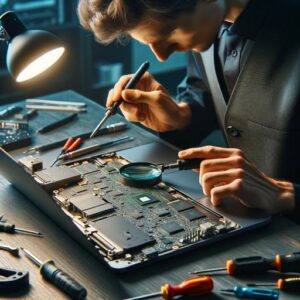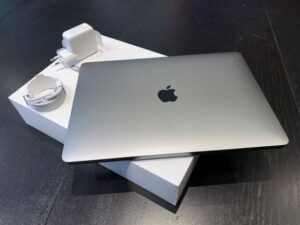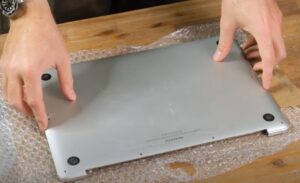
Here are four MacBooks people brought me after buying them second hand. All four seemed fine when they were bought … the problems turned up after the money had changed hands!!
10 things to check before You buy a used MacBook
1. Watch it get wiped and set up in front of You
Had an A2337 in (M1 MacBook Air) that the seller said had been wiped and was ready to go. As soon as it connected to wifi during setup it put up a Remote Management screen for the company that used to own it.
I checked the serial, the recovery options and how it activated, and sure enough it was still assigned to that company through Apple Business Manager. Reinstalling macOS wont get rid of that …. the company has to release it.
The customer got onto the seller, the seller got the company to release it, then I erased it, did a clean install of macOS and ran setup again to make sure the screen was gone. $280 and 3 business days including the wait for the company!!
So get the seller to erase it in front of You and go through setup at least as far as connecting to wifi. If a Remote Management screen comes up, walk away.
2. Get the original receipt
Had an A2141 in (2019 16 inch MacBook Pro) bought from a private seller. macOS loaded fine but when we tried to get into recovery it came up with a padlock asking for a firmware password.
Getting a firmware password removed needs an authorised process and proof of purchase. The customer had the purchase paperwork and sorted the removal through Apple, then I erased it and did a clean install. $295 for my part and 4 business days including the Apple side!!
Apple wants proof of purchase for Activation Lock problems too … so ask for the original receipt and dont buy it without one. On an Intel Mac, hold Command and R as it starts up to get into recovery before You pay. If You see a padlock its got a firmware password.
3. Turn it over and count the screws
Had an A1932 in (2018 13 inch MacBook Air) bought second hand that made a clicking noise when you picked it up, and the trackpad kept dropping out.
Two of the bottom case screws were missing and a bracket screw inside was gone too. The battery had been out before, there was old adhesive under it and the new adhesive had gone on unevenly, so part of it could move around in the case.
Checked the battery for swelling or damage first, none thankfully. Then took it out properly, cleaned off the old adhesive, new adhesive strips, reseated the trackpad cable and put the right size screws back in …. $275 and done in 1 day!! Kept the existing battery.
Missing screws on the bottom means someones been inside. That doesnt make it a bad Mac, but ask what was done and who did it.
4. Ask straight out if its ever been wet
Had an A2338 in (M1 13 inch MacBook Pro) that worked for the first couple of weeks after it was bought, then started shutting down out of nowhere. Charging cut in and out too, especially when the USB C cable moved.
Inside there was clear evidence of an old liquid damage repair, leftover flux around part of the logic board, corrosion near a connector and a screw missing. The corrosion had got into one of the USB C connectors and its contacts.
Removed that connector, cleaned the pads and the area around them, microsoldered a new one on and checked for shorts before it got power again. Left it running overnight and did the charging tests again the next morning …. $485 and 3 days later it was stable!!
I still told the customer old liquid damage can cause other faults down the track. A Mac thats been wet and repaired isnt always a bad buy, but it should cost less and You should know about it before You pay!!
If its had parts changed, Apple suggests using Repair Assistant to check for an unfinished repair, because a part from another Mac can be locked to someone elses Apple Account.
5. Know who You’re buying from
If You buy from someone who isnt a business, like most sellers on Marketplace or Gumtree, the consumer guarantees usually dont apply. Buy from a business and the Mac has to be of acceptable quality and match its description. Apple’s own certified refurbished Macs come with a one year warranty.
So with a private sale its basically all on You … thats why the rest of these checks matter!!
6. Think twice about an Intel Mac in 2026
Apple says macOS Tahoe is the last version for Intel Macs. Only four Intel models got it, the 16 inch MacBook Pro from 2019, the 13 inch MacBook Pro from 2020 with four Thunderbolt ports, the 2020 iMac and the 2019 Mac Pro. Apple says those will get security updates for three years.
The A2141 above is one of the four. Every other Intel Mac, like that 2018 Air, stopped at an older version …. if its Intel it should be priced like it!!
7. Check the battery cycle count
Hold Option, click the Apple menu, open System Information and go to Power. The cycle count is under Battery Information.
Most MacBooks are rated for 1,000 cycles, so one sitting at 900 is going to need a battery soon and that should come off the price.
8. Run the serial through Apple
The serial is in About This Mac and on the bottom of the case. Put it into Apple’s coverage check and make sure the model matches the ad, the box and the receipt.
9. Test every key
Apple’s free butterfly keyboard program has finished, so a sticky key on a butterfly keyboard MacBook from 2015 to 2020 is now Your bill, not Apple’s!! Go over every key, the trackpad, every port, the camera and the speakers before You hand over any money.
10. Pay safely
Meet in person if You can and see it running before You pay. NAB says to pay by card or PayPal, not PayPal Friends and Family, and to be wary of sellers who want to move the chat to WhatsApp or who can never meet. A price well under what they normally go for is a warning sign too!!
Worth knowing before You pay
Sometimes a second hand Mac is a great buy, other times its someone elses problem … either way its better to find out before the money goes.
If You’ve already bought one and something isnt right, give me a call, happy to have a look!! Hope to hear from you soon!!